Free site diary template (PDF, Word & Excel)
Part of our complete guide: What Does a Good Site Diary Look Like?
A site diary is only worth keeping if it captures the right things, the same way, every day. This free daily site diary template covers the six things every entry should record — labour and plant, progress against plan, deliveries, instructions received, events and delays, and photos — with a proper sign-off at the bottom. Download it in whichever format suits how you work.
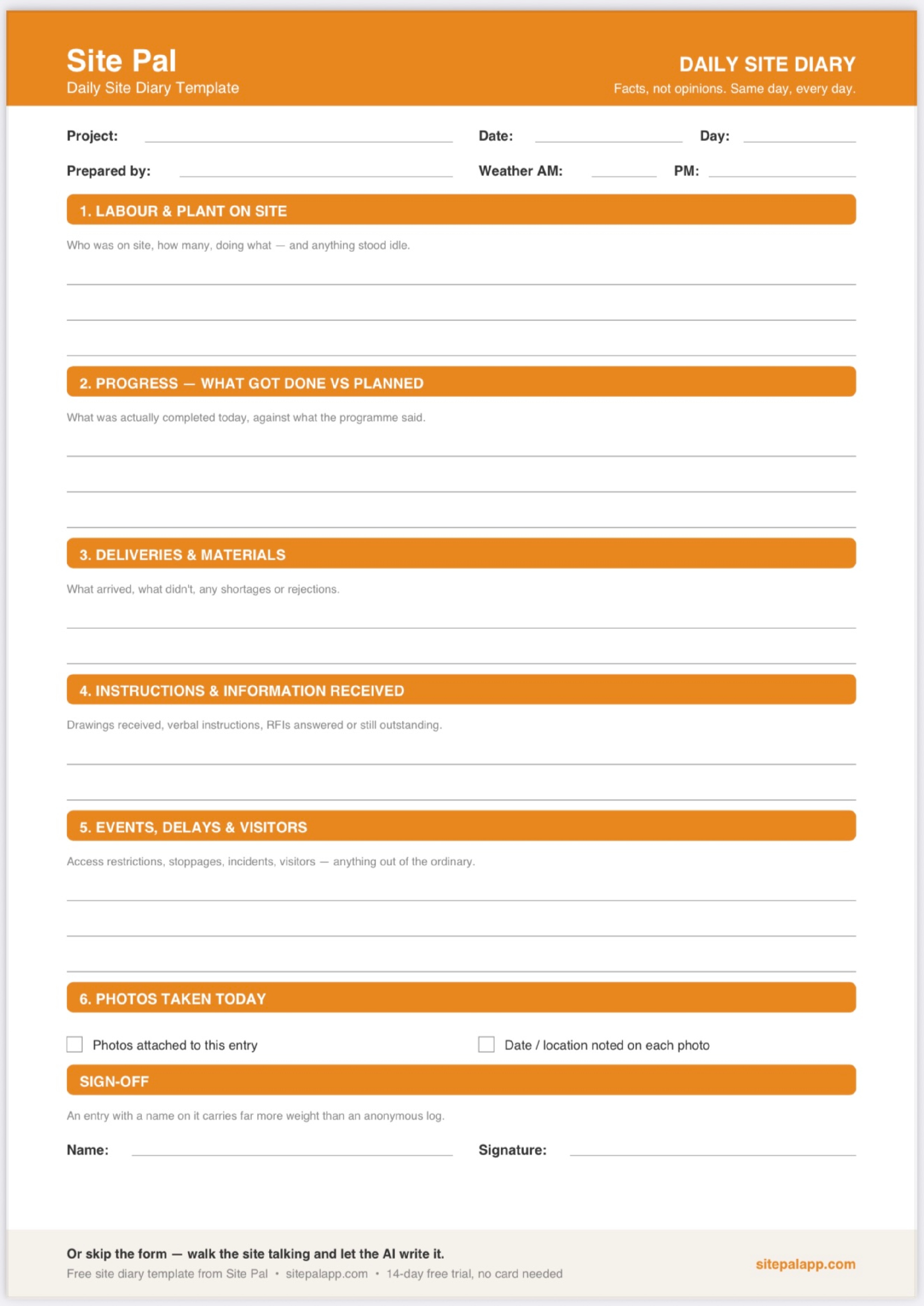
What the template covers
The template records the six questions a solid daily entry answers:
- Labour and plant — who was on site, how many, doing what, and anything stood idle
- Progress — what actually got done, against what was planned
- Deliveries and materials — what arrived, what didn't, any shortages
- Instructions and information — drawings received, verbal instructions, RFIs answered or outstanding
- Events, delays and visitors — access restrictions, stoppages, incidents, anything out of the ordinary
- Photos — attached to the entry, with the date and location noted on each
Same day, every day
A template only works if it gets filled in daily. An entry written Friday about Monday is a memory, not a record — and a diary with gaps invites the question of what else wasn't written down. Ten honest minutes at the end of each shift is enough.
Put a name on it
The sign-off at the bottom matters. An entry signed by the person who was actually there carries far more weight than an anonymous log — it says someone stands behind this record.
Or skip the form entirely
This template still means typing or writing everything up yourself, every day. Site Pal was built to remove that job: walk the site, take photos, talk — the AI writes the diary entry for you, every photo automatically GPS-tagged and timestamped, exported as a clean client-ready PDF. The record gets done in the time it takes to walk back to the cabin.